The Problem
Color Palettes are cool and all, but can you instantly make a decision based on them?
If you want to choose a color palette for UI properly, the least you have to do is put them on a lofi UI or grayscale the entire UI on Figma, Adobe XD, or similar platforms to get a better idea of what those colors will actually look like on a product.
This process can take a long time (and time is gold!). Clients (and anyone, really) often have very different impressions from the actual implementation of a color palette. So, there is a lot of back-and-forth in the process of design. We should hope to minimize that.
Another problem is that colors are usually presented differently on different devices and monitors due to the difference in their calibrations. So you might choose a color on your desktop and notice it's completely different on mobile. These differences should be addressed before the entire process of design and development so as to avoid any issues further on.
The Solution
It is right in front of you!
A platform that allows for you to visualize and realize all your color choices can fix the problems mentioned above. You'd say that we already have design platforms (e.g., Figma) for that. That is absolutely correct, and ultimately, you should try out the color palette on your own design yourself.
To present the color palette on a design platform, like Figma, you'd have to create a quick prototype and try to view it on different platforms, share it with clients, etc. You can already imagine how long that takes.
Instead, you can share input your favorite colors on Realtime Colors and instantly share the link to a real website showcasing those colors.
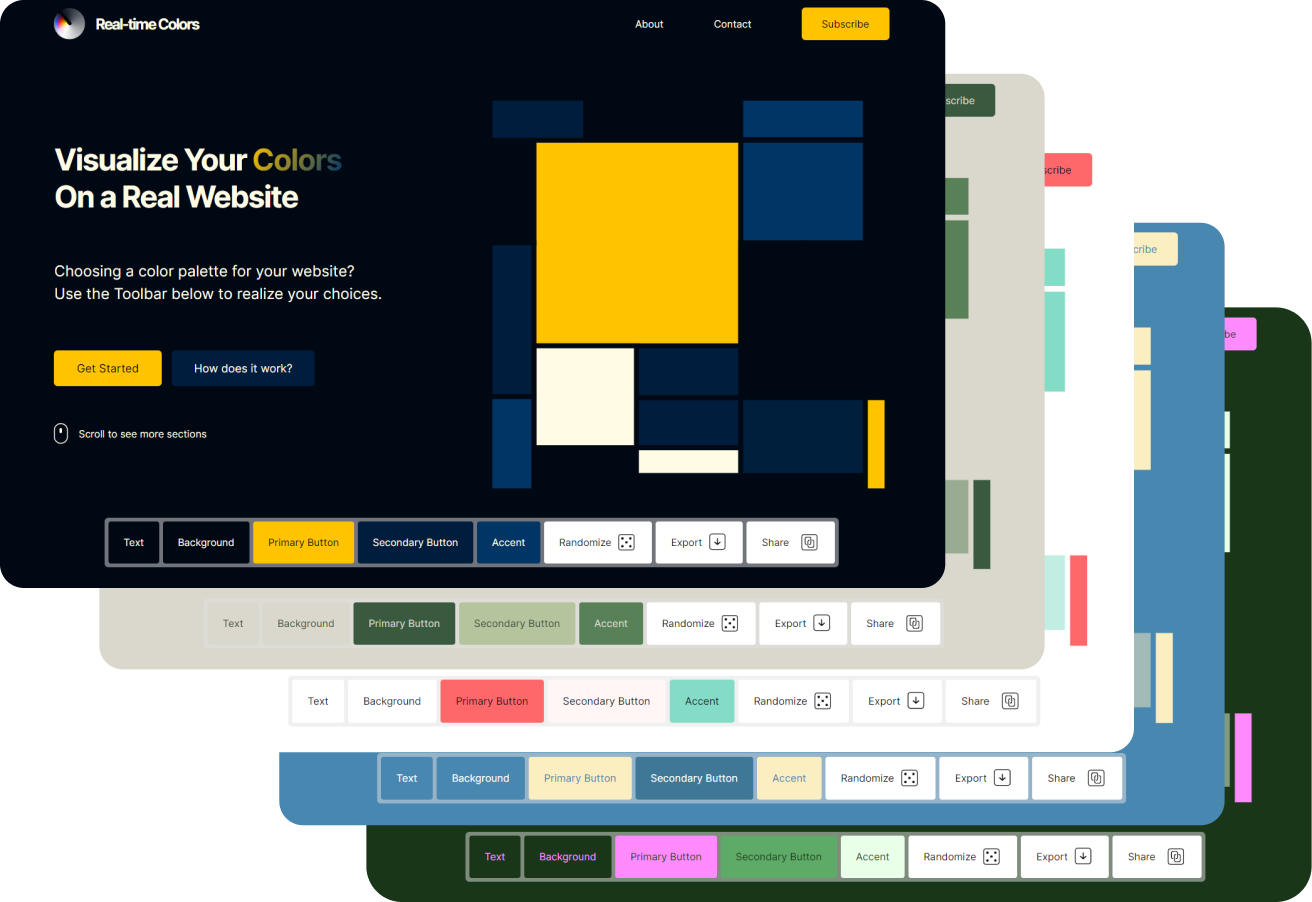
How was it created?
Realtime Colors was a long-term dream.
Just like many, I really wanted a tool that can quickly show me the colors I plan to choose in my projects. Colors were always lost in miscommunication.
Then, one weekend, I created a rough design and coded the first version of Realtime Colors on CodePen.
The tool managed to satisfy my needs, but then I saw that it helped many different projects, as well. That was when I got it on its own website, this same one.
I was lucky to receive many different suggestions and a lot of feedback. So, now, your dream is my dream!
Wanna send me a message? I'd love to talk to you!
You can send your suggestions, feedback, or just normal greetings to my email: Juxtopposed.me@gmail.com
over the weekend I designed a tool to visualize color palettes on a real website in real time, to help with decision-making when choosing colors for UI.
— Juxtopposed (@juxtopposed) April 2, 2023
try your own colors on @codepen: https://t.co/DqwuAeJy0S
or on live site: https://t.co/CY1ij9Stld#codepen #uidesign pic.twitter.com/XW0CwUVMuj
A small development timeline gallery :) Expand it later maybe?

Watch Video Introduction
Learn more about Realtime Colors and using it on this video.
Do you enjoy using Realtime Colors?
This project is constantly updated. I make sure it incorporates every feature you might need to help make your job easier. If you'd like to help out on this, I'll leave the donate links below. Your help is already very much appreciated! <3

Besides this, if you enjoy the tool, just spreading out the word means the world! Thank you for using RealtimeColors.com!
Your Journey Shouldn't End Here.
Follow me on social media to stay tuned on more projects.
Stay Tuned
Visualize your color choices.

Feedback? Suggestions? Features you'd like to see? Contact me!
Made with <3 by @Juxtopposed
Copyright © 2023 All Rights Reserved
Tip: Press the Spacebar to randomize faster!